
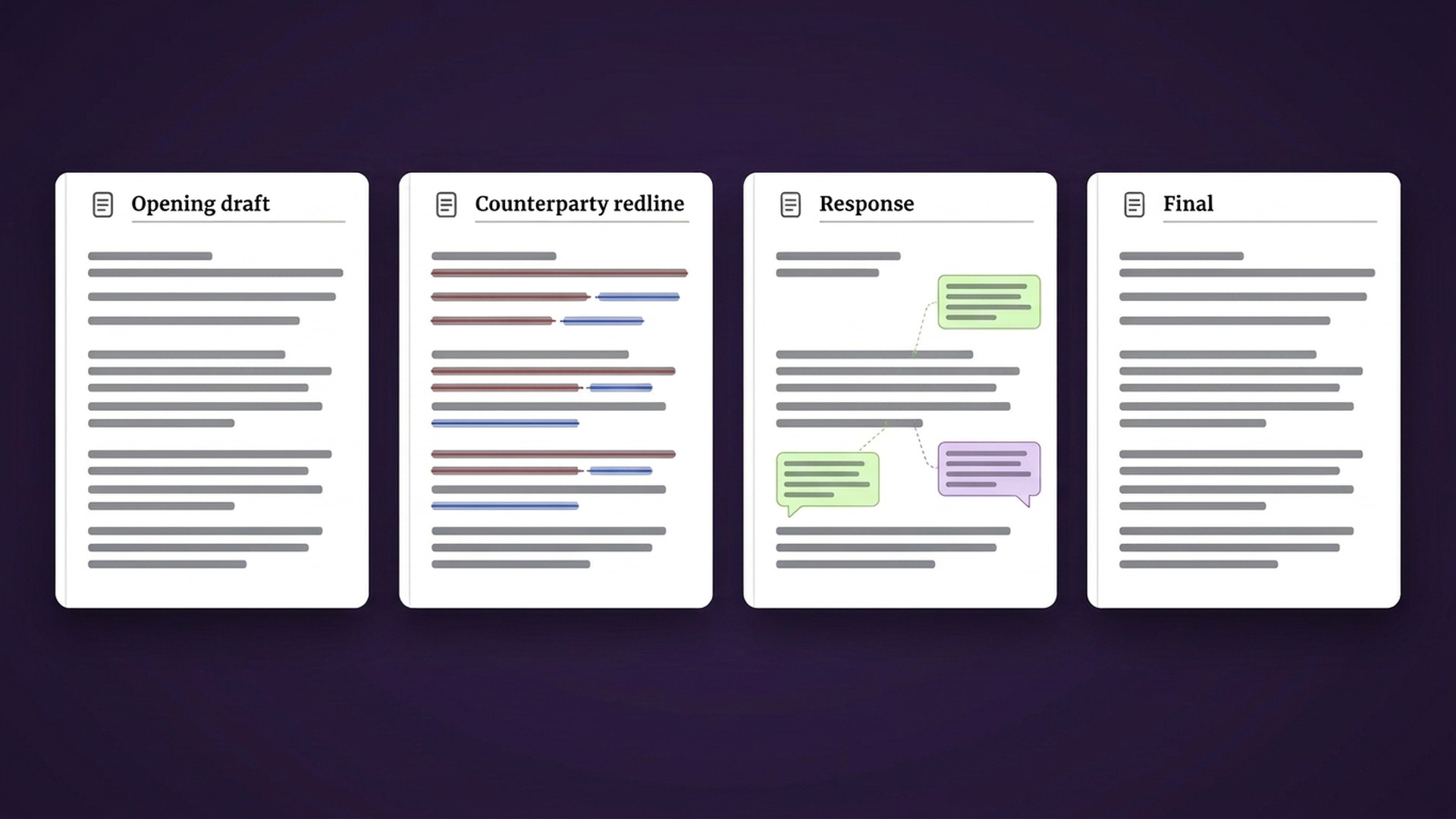
A final agreement can tell you what a clause says. If the evaluation is meant to test how your team handled a similar request, bring the earlier Word versions too. The redlines show what changed; a comment may explain the reason for the response.
For a maintenance, repair and overhaul (MRO) legal or contracts team considering Lexsophos, start by identifying a negotiation you can check against your own records. Gather the retained drafts, counterparty markups, internal responses and final versions, with tracked changes and comments intact. Agree on the evaluation scope and data handling before uploading company files.
Choose a negotiation your team can verify
Select an issue the reviewer understands well enough to assess: a liability cap or a proposed change to governing law. Identify the earlier agreement and the new request you want to compare. Someone familiar with the earlier negotiation should be able to check what the files establish and what is missing.
Lexsophos compares a new redline with earlier Word negotiations and provides source links for inspecting the historical wording and recorded comments. A useful evaluation checks the match against those sources. Familiar language alone does not establish that the earlier response fits the new deal.
Keep the versions that explain the change
| File to identify | What the reviewer can check |
|---|---|
| File to identifyBaseline template or opening draft | What the reviewer can checkThe starting clause before the counterparty requested a change. |
| File to identifyCounterparty redlines from each retained round | What the reviewer can checkThe request, its wording and any explanation the counterparty recorded. |
| File to identifyYour team’s responses and internal comments | What the reviewer can checkThe proposed response, who wrote the comment and any condition or reason recorded with it. |
| File to identifyLater drafts and final versions | What the reviewer can checkHow the wording developed and where the retained record ends. Check the executed agreement before calling a position agreed. |
| File to identifyThe current redline for the comparison | What the reviewer can checkThe issue counsel is answering now and the differences that may affect the response. |
Keep the original files. Prepare review copies through your approved process, and avoid accepting tracked changes or deleting comments from those copies before discussing the evaluation. Those details are part of what you want to test.
Make missing records part of the evaluation
A clause can change without anyone recording why. A comment may explain the counterparty’s objection but leave your team’s reasoning unanswered. Approval may have been given in a meeting or an email that is absent from the Word files.
Keep those gaps visible. A plausible explanation generated from the wording remains an inference unless supporting records establish it. Do not turn it into an internal comment or an approval that nobody documented.
The same applies to version labels. A file named Final-Clean identifies a retained version; the name alone does not prove execution. Ask the reviewer to distinguish the request, the response and the recorded outcome before deciding whether the comparison is useful.
Ten demonstration files are an example
The illustrative setup behind our MRO examples uses ten Word files from two earlier deals. The companies and agreements are fictional. That count describes the demonstration, not a minimum file requirement or evidence that ten files will suit another team.
Choose the files around the task you want to examine. Tell Lexsophos which versions you retain, where comments are missing and whether the earlier matter is familiar to the reviewer. Agree on a suitable sample and any preparation work before assembling a larger collection.
Agree on what a useful result would look like
Before the evaluation, write down the checks the reviewer will make. For the selected request, can they inspect a relevant earlier clause, trace it to the correct source version and distinguish each author’s comment? Does the comparison preserve the conditions that matter to the current response?
Record irrelevant matches, missing explanations and incorrect source associations as well as useful results. If preparing the next Word draft is part of the test, inspect the downloaded document against the reviewer’s decisions before sending anything externally. Counsel remains responsible for the current response and any required approvals.
Confirm preparation and data handling before uploading
Lexsophos offers guidance on organizing files for upload. Confirm who will select and check them, what support is included and how much preparation your sample needs. Do not assume that someone else will reconstruct a missing negotiation record.
Review hosting, access, AI processing, retention, exports and deletion with the relevant people in your organization. The Lexsophos Security page is a starting point for that discussion; confirm how the proposed evaluation would meet your requirements before sharing documents.
You can start with illustrative files. at lexsophos.ai and ask to see how earlier Word versions, comments and source links are used. You do not need to send company contracts for that first look.
Related
What your CLM does, and where your negotiation history fitsBefore you reuse a governing law position in an MRO contractBefore you accept that MRO lien change againBefore you reuse an MRO liability capFilm
Watch the film: an earlier concession on a lien clauseIt plays on the home page beside the free 90-day pilot offer.